
Image Auto Updates
When you deploy a service using a Docker image, Treasury can automatically check for new versions and update your service during configurable maintenance windows. With this, you can keep your services up to date without manual intervention.
Supported registries
Image auto updates are only available for images hosted on the following registries:
- Docker Hub (
docker.ioor no domain prefix) - GitHub Container Registry (
ghcr.io)
Images from other registries (ECR, GCR, ACR, private registries, etc.) do not support auto updates.
How it works
Treasury periodically checks the Docker registry for new versions of your configured image. When an update is available and your maintenance window is active, Treasury will:
- Create a backup of any attached volumes
- Redeploy your service with the updated image
- Notify workspace admins of the update
Update behavior by tag type
How Treasury handles updates depends on the type of tag you've configured:
Semantic version tags
For tags like :v1.2.3 or :1.0.0, Treasury checks for newer versions and updates your service configuration to the new tag (e.g., :v1.2.3 -> :v1.2.4).
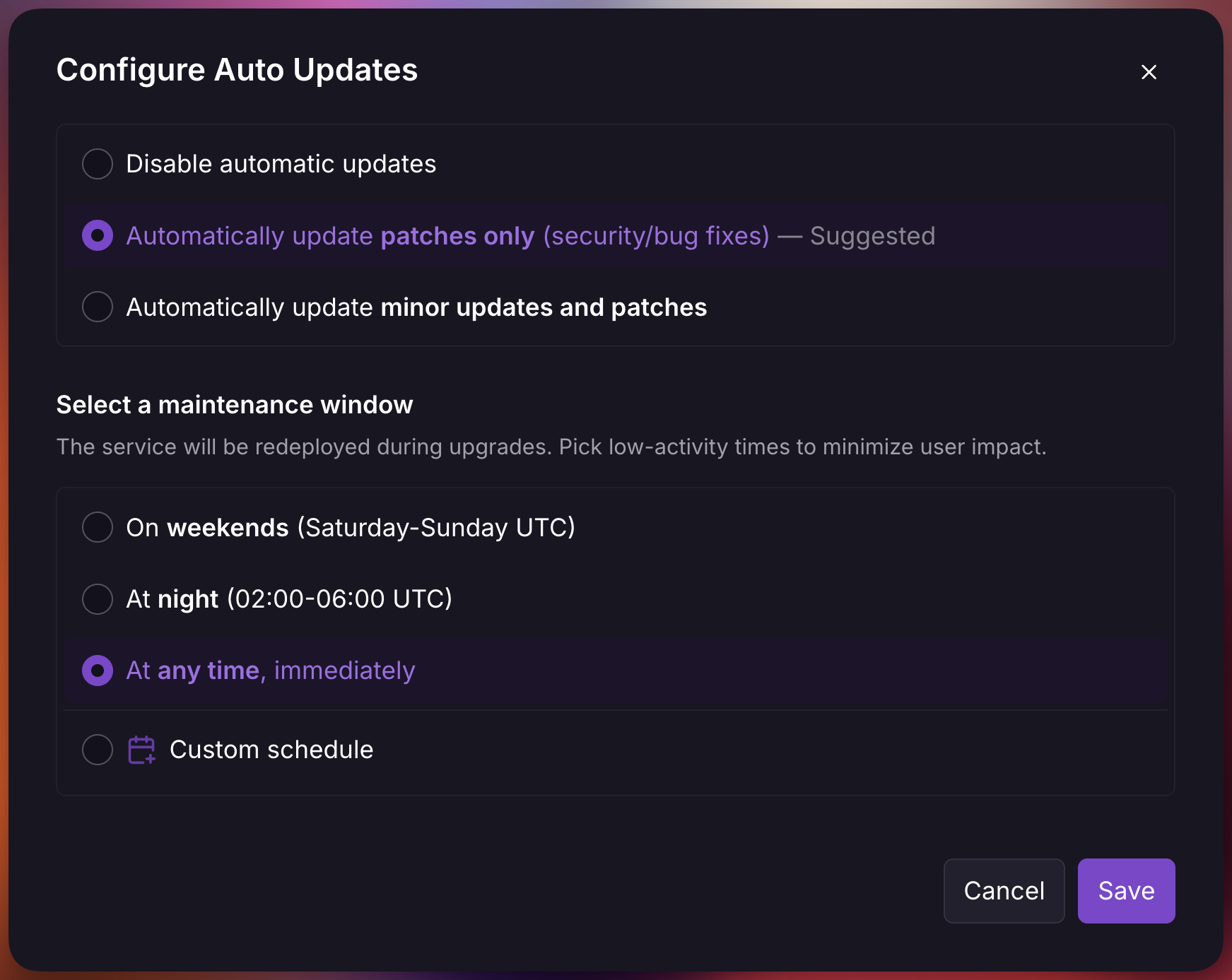
You can choose your update preference in the auto updates settings either patches only or minor updates and patches:
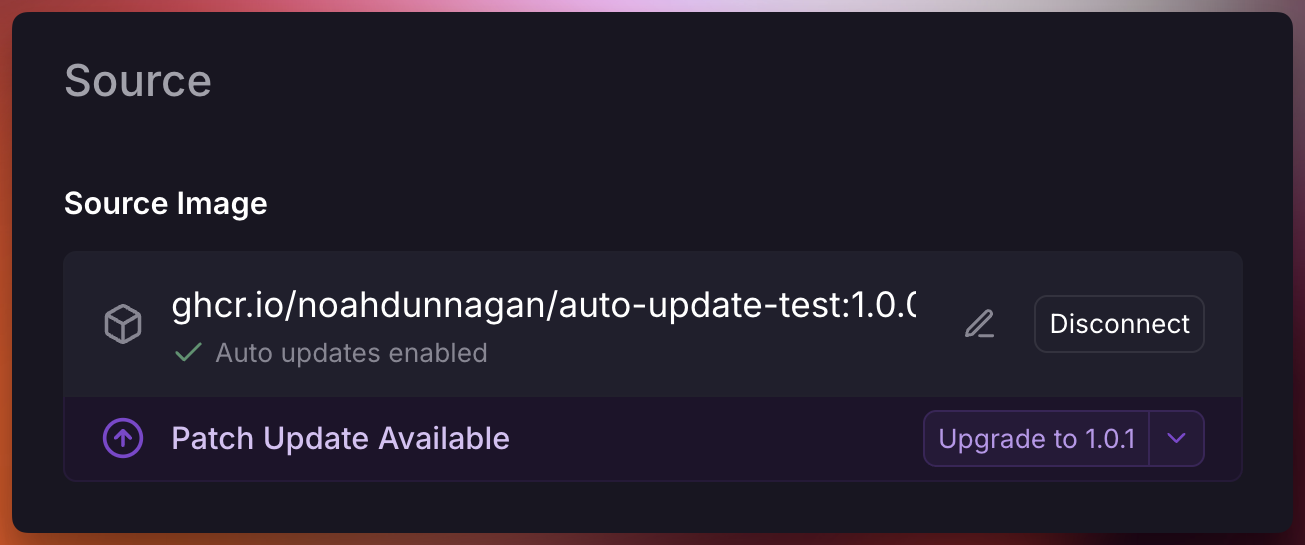
When a new version matching your preference is detected, you'll see a notification:
Non-semantic version tags
For tags like :latest, :canary, or :staging, Treasury monitors for new image pushes to that specific tag. When a new image is pushed (same tag, different SHA), Treasury redeploys your service.
Your configured tag is always preserved. Treasury does not switch non-semver tags to :latest. If you configure :canary, Treasury only redeploys when a new image is pushed to :canary.
Configure auto updates
To enable automatic image updates:
- Navigate to your service's Settings page
- Under the Source section, select Configure Auto Updates
- Choose your preferred update type
- Choose a maintenance window
Maintenance Windows
Maintenance windows define when Treasury is allowed to apply automatic updates. All schedules are evaluated in UTC.
| Window | Schedule |
|---|---|
| Weekends | Saturday and Sunday, all day |
| Night | 02:00 - 06:00 UTC daily |
| Anytime | Updates are applied immediately after detection |
| Custom | User-defined day and hour ranges |
Note that updates are applied after Treasury detects new versions, not the moment they're published. To avoid overwhelming registries, detection results are cached for up to a few hours.
Custom schedules
Custom maintenance windows let you define days and hour ranges for updates. You can configure multiple windows to match your operational requirements.
Safety features
Treasury includes several safety mechanisms to protect your services during automatic updates:
Volume backups
For Pro plan users, Treasury automatically creates a backup of all volumes attached to the service before applying any update. These backups are named Auto Update {image} and can be used to restore data if needed.
Skip versions
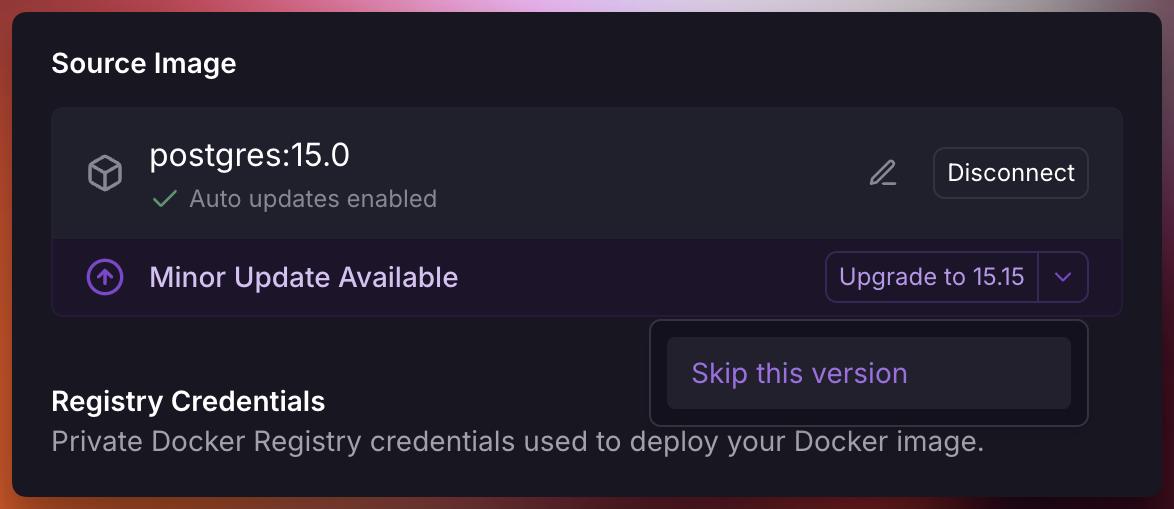
If a specific version causes issues, you can skip it to prevent Treasury from automatically updating to that version. Skipped versions will be excluded from future auto-update checks.
When prompted select the dropdown and click "Skip this version"
Notifications
When an automatic update is applied, workspace admins receive a notification containing:
- Service and environment name
- Previous version
- New version
- Update type
To disable these notifications, create a custom rule setting "ServiceInstance Auto Updated" to "None" for a project.